 Ask Review
For local businesses
Get more 5-star reviews and make more revenue.
Every extra star on your rating is worth 5–9% more revenue: Harvard's math, not ours. One QR code per teammate. Two taps to Google. Every review traced back to who earned it.
First month free, up to your first 20 reviews No app or password for your staff Set up in minutes
Why teams use Ask Review
A QR code for every team member
No account or password for staff
Works with your existing Google review link
Live dashboard from day one
Why it matters
Reviews decide who gets picked
Before anyone walks through your door, they compare you to the three other places on the map. Your review count and your rating are what they compare.
- 266%
- more likely to show up in Google's local pack with 50+ reviews than with under 10BrightLocal, 2026
- 97%
- of people read reviews before choosing a local businessBrightLocal Local Consumer Review Survey, 2026
- 47
- reviews is the median for businesses ranking in the top three map resultsLocal Falcon, 50M search results
- 5–9%
- more revenue for every extra star on your average ratingHarvard Business School
None of these are absolute numbers to hit. What counts is having more than the place across the street: Google will happily show a business with hundreds of reviews over a closer competitor with a handful, and so will your customer.
How it works
From scan to review in a few taps
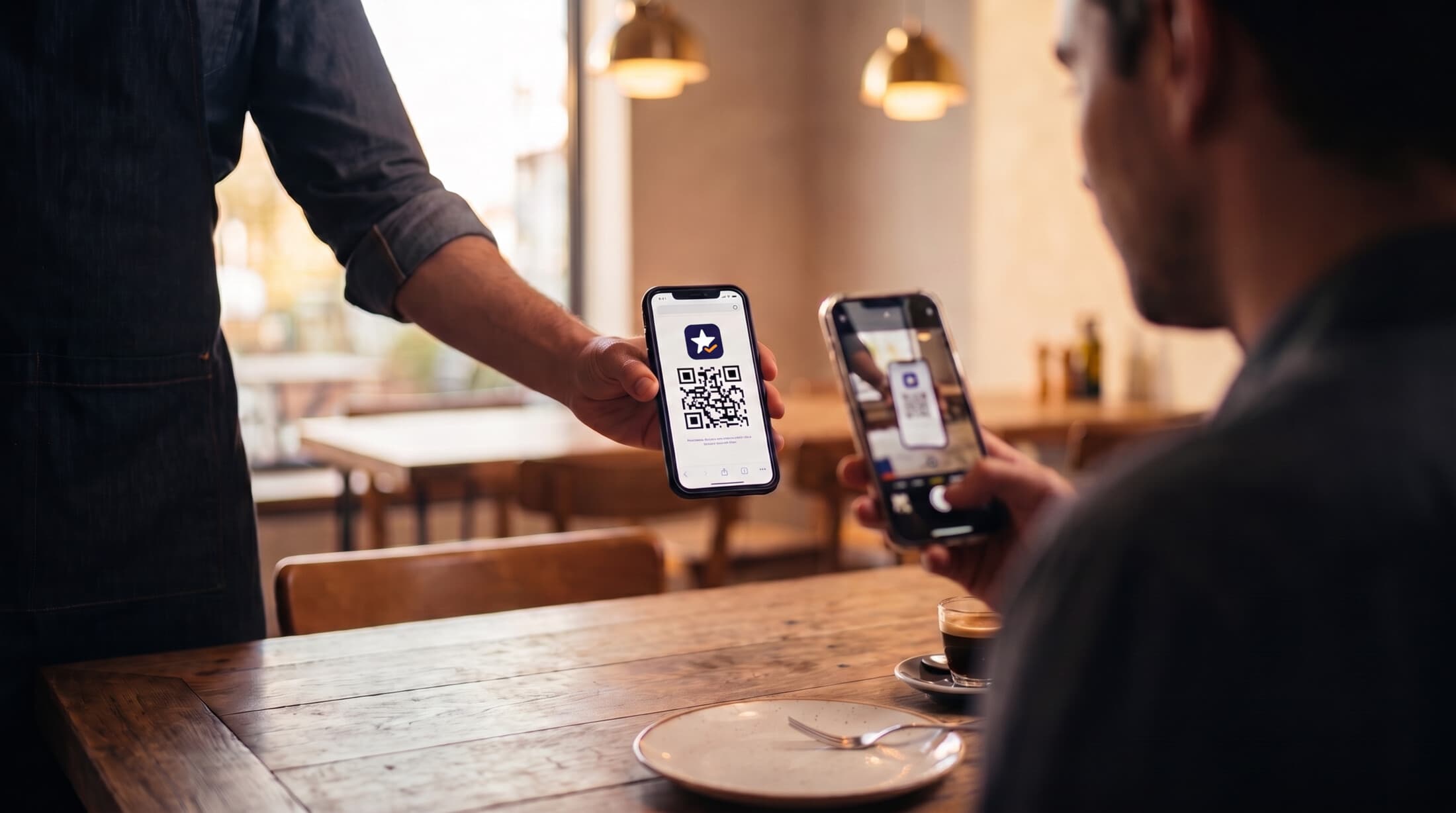
No accounts, no apps. This is the exact page your customers see, and the moment they see it.
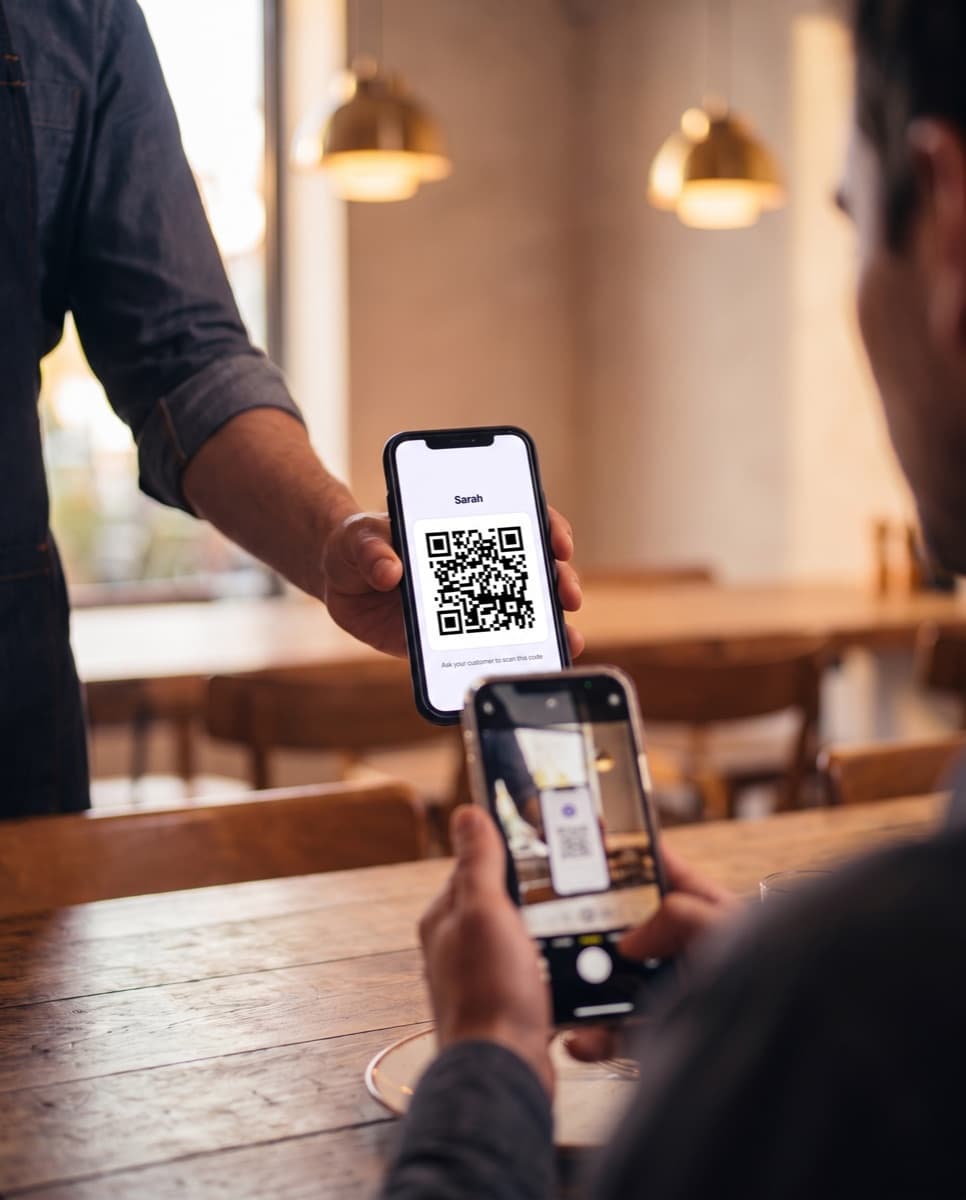
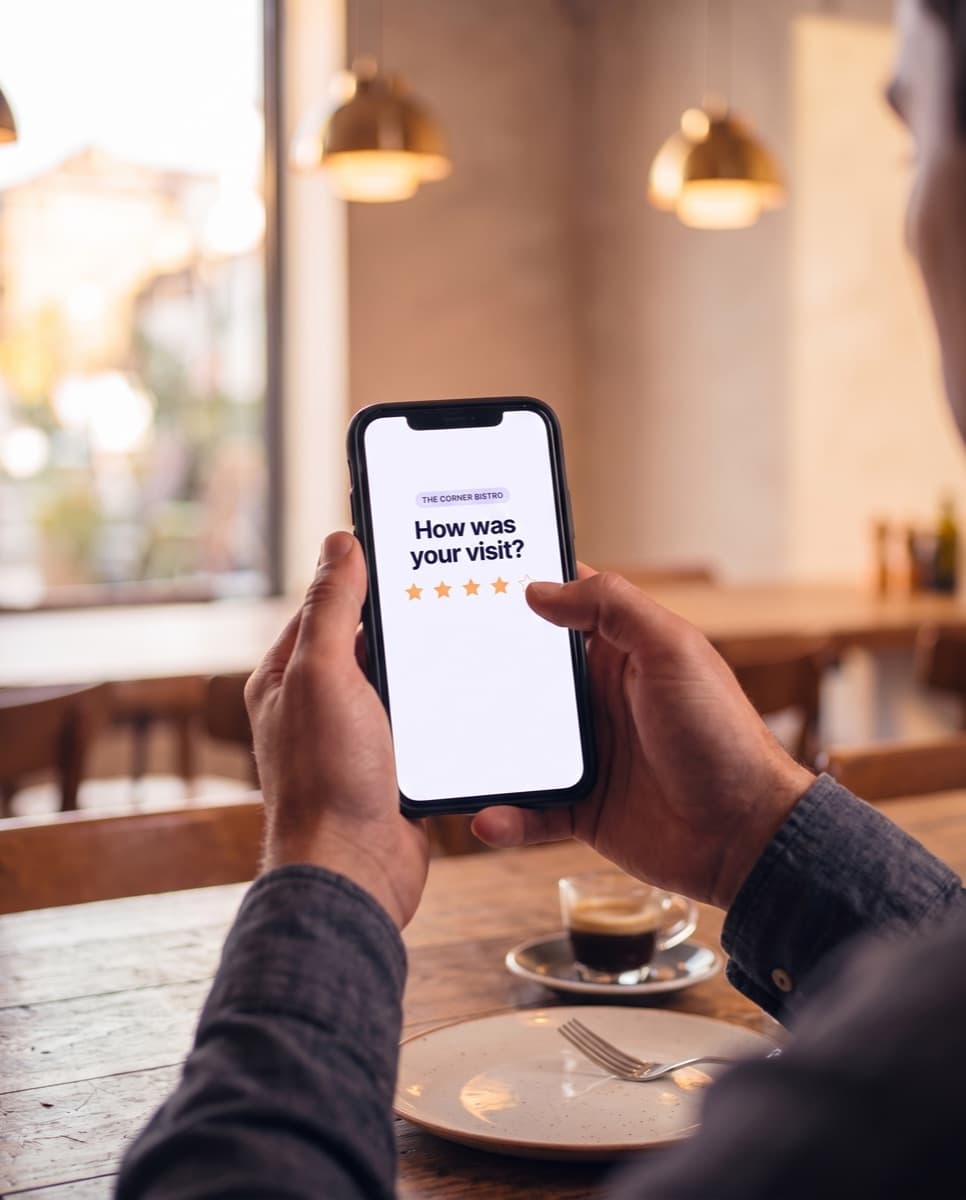
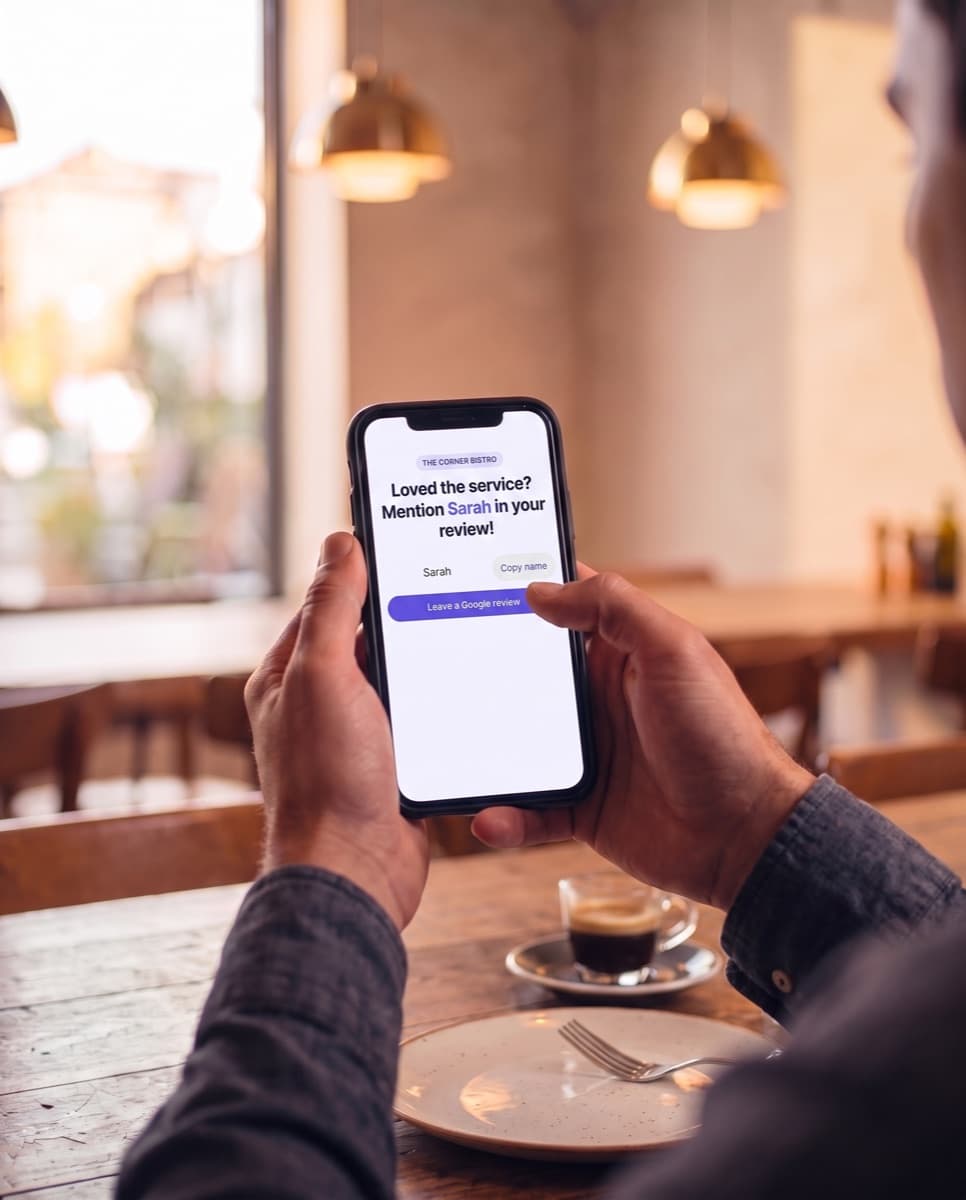
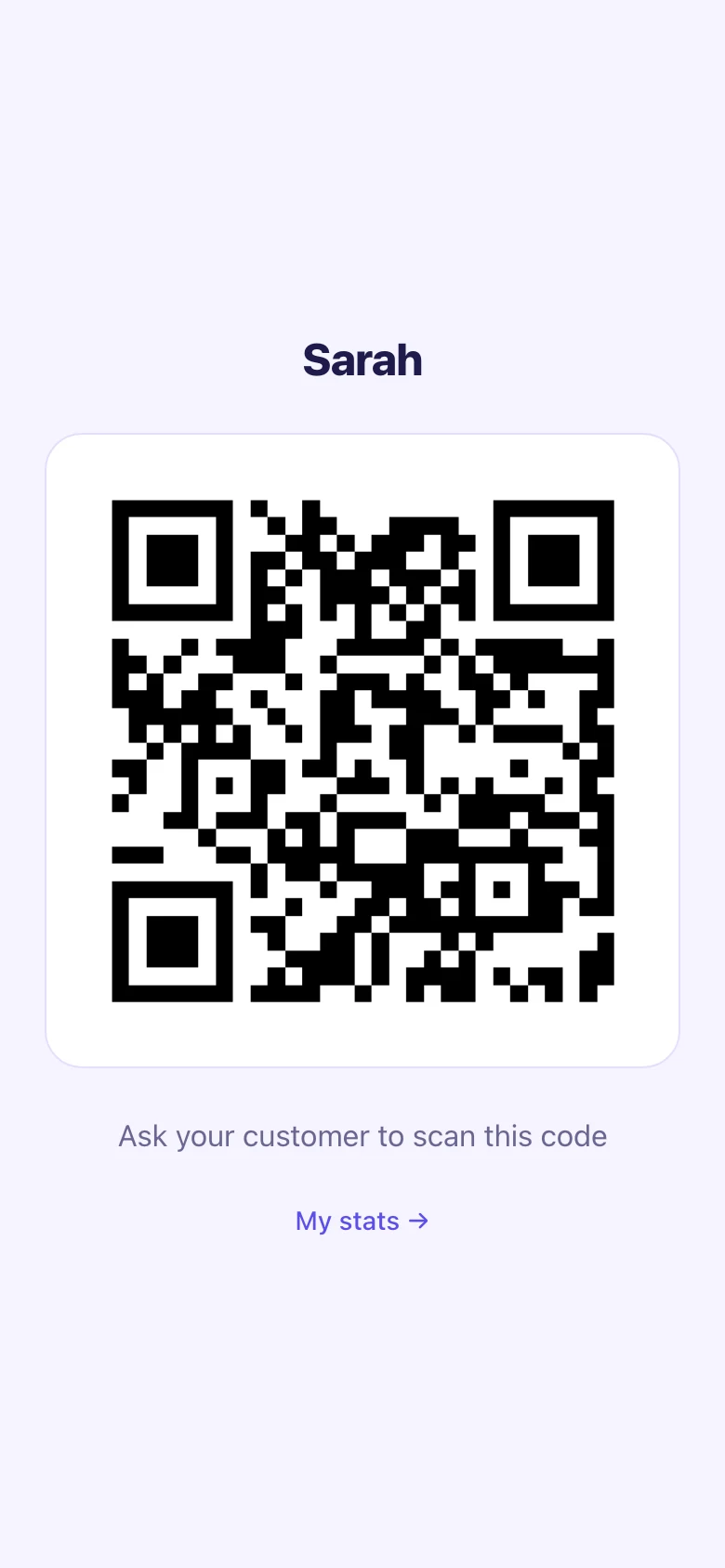

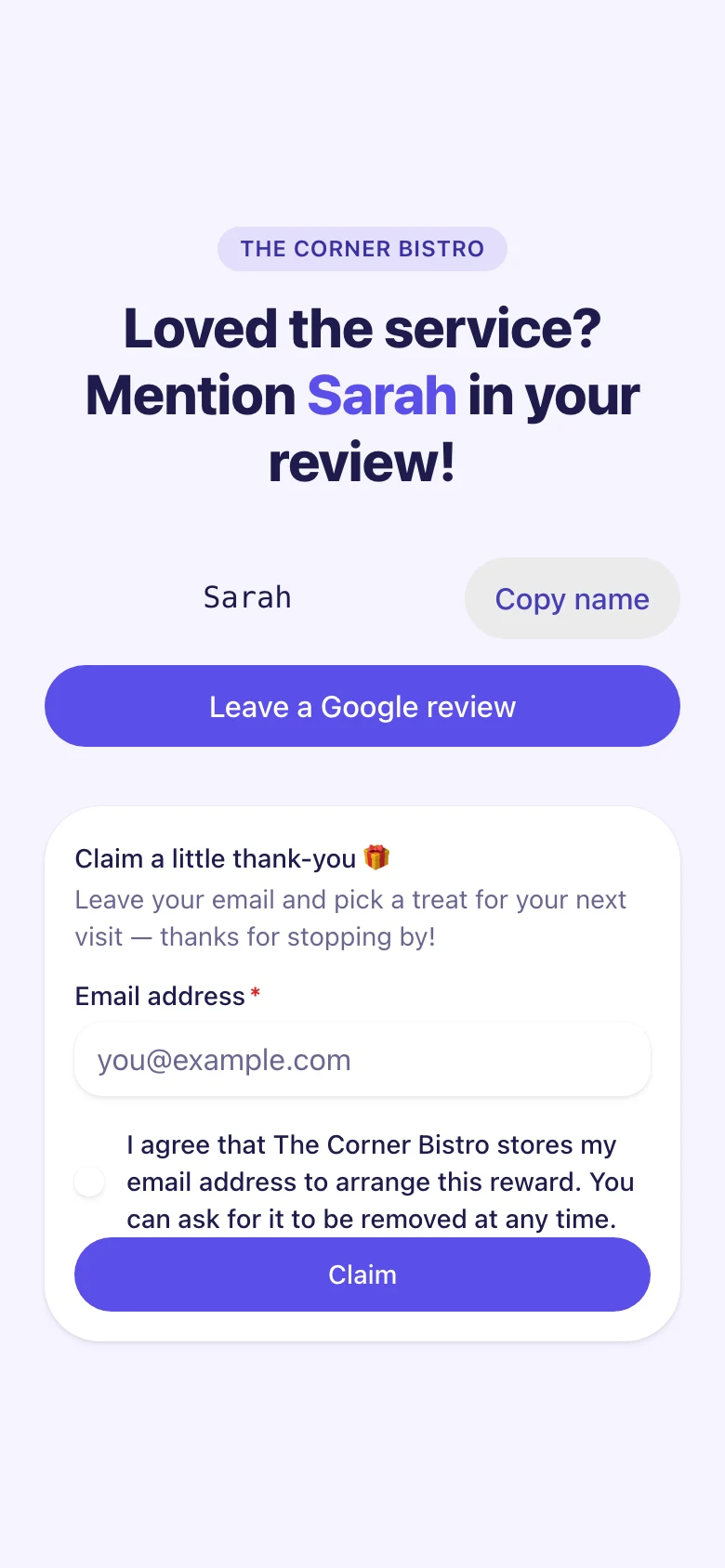
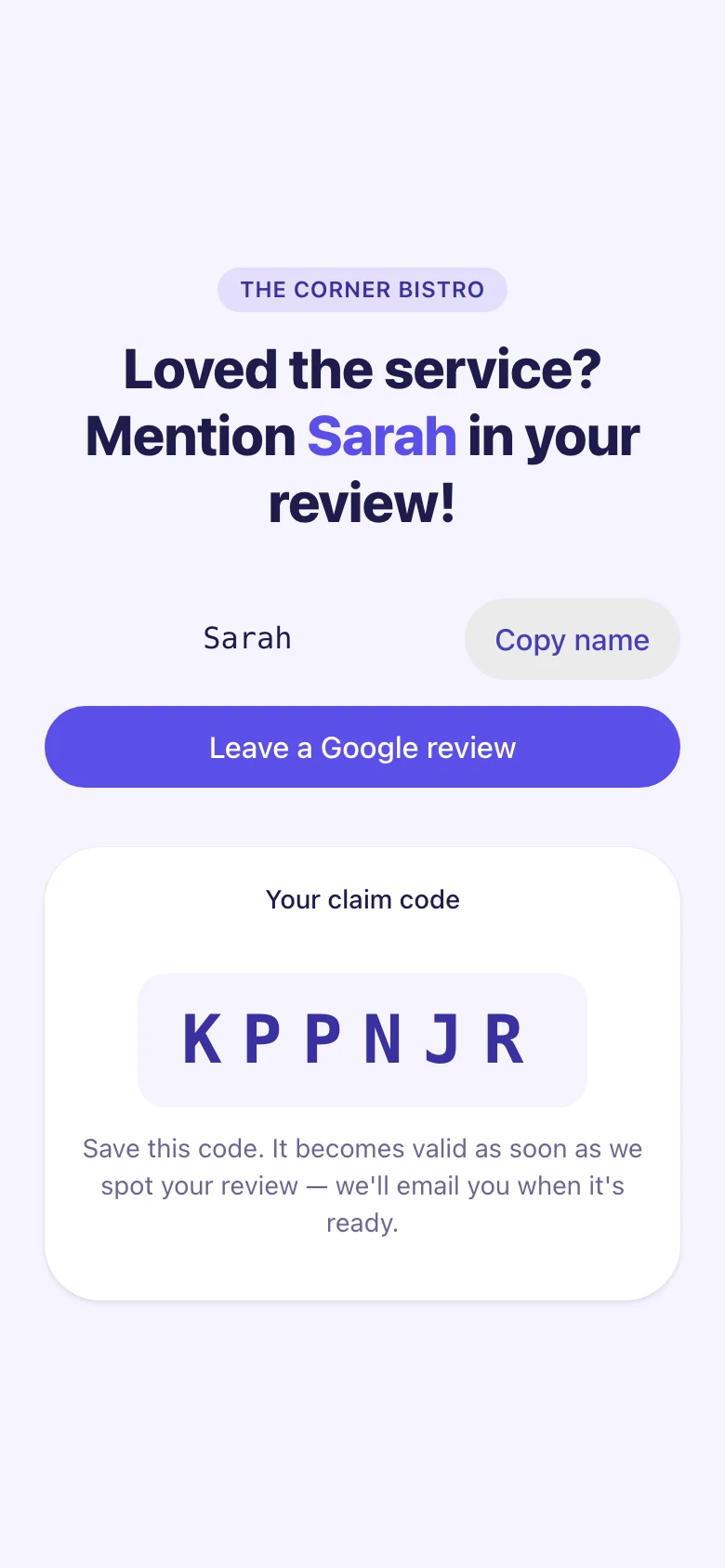
Step 1 of 5: Your customer scans
Star check
Every complaint reaches you first
The rating comes before anything else. Low scores open a private form to the owner, so a bad visit becomes a conversation instead of a surprise.
- A low rating opens a private feedback form that reaches you as the owner directly.
- Happy customers go to Google with the employee's name ready to mention.
- Two modes, per location: keep low scores in-house, or keep the Google link visible for everyone, including guests who rate you low. Your call in settings.
31%
of people now only consider businesses rated 4.5 stars or higher, up from 17% a year earlier. One bad review costs more than it used to.
BrightLocal, 2026
Private feedback
Straight to the owner
Google review
Live on Google
For your team
Your team turns asking into a game
Shifts become a friendly challenge: who collects the most reviews this month? Teams that challenge each other ask more often, and that shows up in your review count.
Everyone plays their own game
Every team member gets a personal page with their own QR code and their own score, live during the shift.
A fair fight, every shift
The leaderboard counts reviews per hour worked, so a part-timer can beat someone with twice as many shifts.
Every period crowns a winner
Periods close on schedule and each winner keeps their spot on the board. Something to beat next round.
Your call, one switch
Not your team's style? Turn the leaderboard off and everything else keeps working exactly the same.
This month
Example
- 1SSarah340.42 per hour
- 2MMilan290.38 per hour
- 3YYou190.37 per hour
- 4NNoah170.24 per hour
74%
of people look for reviews written in the last three months, and a third want them from the last two weeks. Reviews go stale, so a team that keeps asking beats a one-off push.
BrightLocal, 2026
The difference
Same street. One of them gets more business.
Two restaurants across the street from each other. One hopes reviews happen; the other has a team that asks on every shift. Can you guess which one wins the year?


The Corner Bistro
Bistro Across the Street
Without Ask Review
- Review growth
- +0%
- Rating
- 4.2★
- Revenue vs. average
- −15%
- Reviews only happen when a customer thinks of it: often when something went wrong.
- One angry review drags the average down for months.
- The place across the street shows up above you in the map results.
- Nobody on the team owns the number, so nobody asks.
Team asks every shift
- Review growth
- +600%
- Rating
- 4.7★
- Revenue vs. average
- +54%
- The whole team asks on every shift: each teammate has their own QR code and score.
- Unhappy customers get a private form that reaches the owner directly.
- More recent reviews than the neighbors, so Google shows you first.
- Every review is matched to who earned it, so asking stays a game worth playing.
Businesses with above-average review counts earn 54% more revenue, and with 200+ reviews, almost twice the average.
Womply, across 200,000 U.S. businesses. Below-average review counts earn 15% less. Illustrative numbers; your results depend on your traffic and starting point.

A year of asking
“We stopped hoping reviews would happen. Now every shift ends with a few more, and the team argues about who is on top.”
Owner, The Corner Bistro
- Reviews
- 34236
- Rating
- 4.24.7
- Per month
- 320
The dashboard
See where the funnel stalls
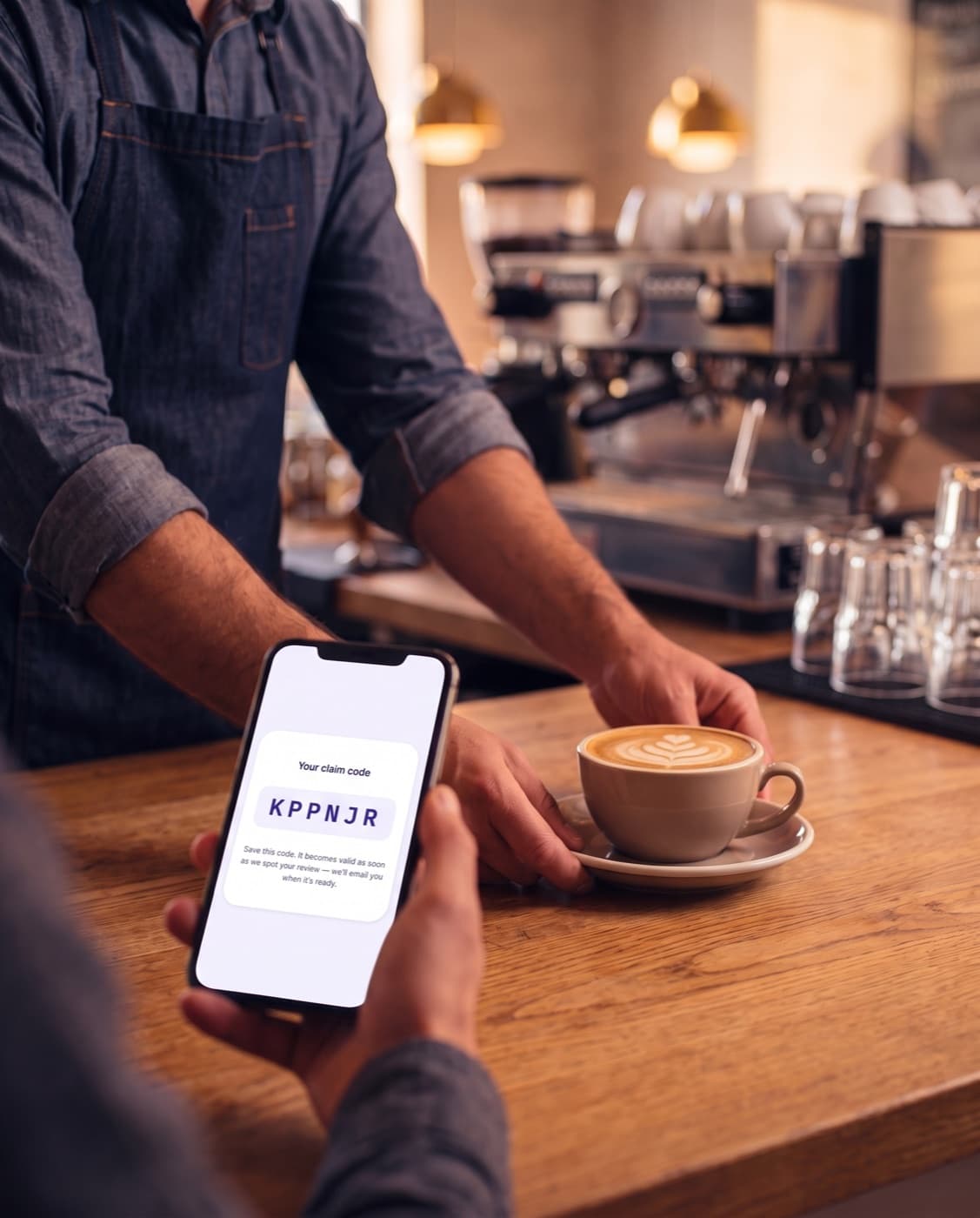
Every scan moves through the same five steps, from picking stars to claiming a reward. Filter by week, month, or a custom range to see where people drop off, for the whole team and for every team member separately.
Spot your top performers
The same funnel per team member, ranked by the share of scans that made it to Google. You see who turns conversations into reviews and who needs a hand. And because it's a rate, not a total, someone working fewer shifts isn't punished for it.
Scans sent to Google, this week
Example- SarahTop performer82%
96 scans · 26 reviews
- Milan69%
88 scans · 19 reviews
- NoahNeeds support41%
64 scans · 6 reviews
Team average 71%
Example numbers
Google click rate
71%
of customers who picked stars
Average rating sent on
4.8
low scores stay off Google
Reward claim rate
17%
of customers who scanned
Everything included
One tool, from first scan to claimed reward
Every account starts with the full set, for every person on the team. There is no bigger plan to move up to.
Why this works differently
| Aspect | Ask Review | Typical review platform |
|---|---|---|
| Who asks | Ask ReviewThe person who served them, at the table | TypicalAn automated email, a day later |
| Team members | Ask ReviewUnlimited, all included | TypicalPriced per user |
| A review counts for | Ask ReviewThe team member who earned it | TypicalThe location |
| Leaderboard | Ask ReviewPer hour worked, so a part-timer can win | TypicalTotals, or none at all |
| An unhappy guest | Ask ReviewGets a private form that reaches you directly | TypicalIs sent the same way as everyone else |
| Getting started | Ask ReviewMinutes, on your own | TypicalAn onboarding call to book |
| Price | Ask Review$29 / month, everything included | Typical$75 – $110 / month |
The price range reflects the publicly listed entry pricing of five comparable review platforms (2025–2026). The right-hand column describes the pattern those platforms have in common, not any single product, and not every tool on the market.
The math
What one review is actually worth
One review rarely wins you a customer on its own. But every review nudges someone comparing you to the place next door, and once in a while that nudge is the one that decides it.
So here is the honest version: what a single extra customer is worth to you. Not lifetime value, just their spend over a first year of visits.
| Type of business | Spend per visit | One extra customer |
|---|---|---|
| Coffee shop / bakery | $8 – $20 | ~$40 |
| Restaurant / bar | $25 – $60 | ~$100 |
| Barber / salon | $30 – $70 | ~$175 |
| Garage / auto repair | $150 – $400 | ~$400 |
| Dentist / clinic | $200 – $600 | ~$600 |
Rough estimates for illustration, based on typical spend per visit and a handful of return visits in the first year.
And that is just one customer. Your rating moves the whole business: research from Harvard Business School found 5–9% more revenue for every extra star on your average rating.
Which is why the goal is not one perfect review. It is a steady flow of them, from every shift, from everyone on the floor. Keep that one extra customer in mind for the next section: it is what the whole thing costs.
Pricing
One price. Everything included.
No tiers, no per-user fees, no setup costs. Your whole team is in from the first shift.
$29/month
Excl. VAT · per location
The first month is free, up to your first 20 reviews. After that it is $29 a month. Cancel before then and you pay nothing.
- Your whole team. Unlimited team members: nobody is priced per seat.
- Every feature. No tiers and no add-ons. One plan, everything switched on.
- No setup fee. No onboarding call to book and nothing to install.
- Cancel any time. Cancel before your free month ends and you are never charged at all.
$29 a month is less than one extra restaurant guest.
The table above puts one extra customer at roughly $100 for a restaurant, $40 for a coffee shop, $175 for a salon. You do not need a stream of new customers for this to pay for itself. You need one, and the rest is upside.
And while your free month runs, the only thing that happens is that reviews come in. Twenty of them, on us, before anything is charged.
Getting started
Live in a few minutes
No installs, no training sessions. Set up your business and your team, then start collecting reviews the same day.
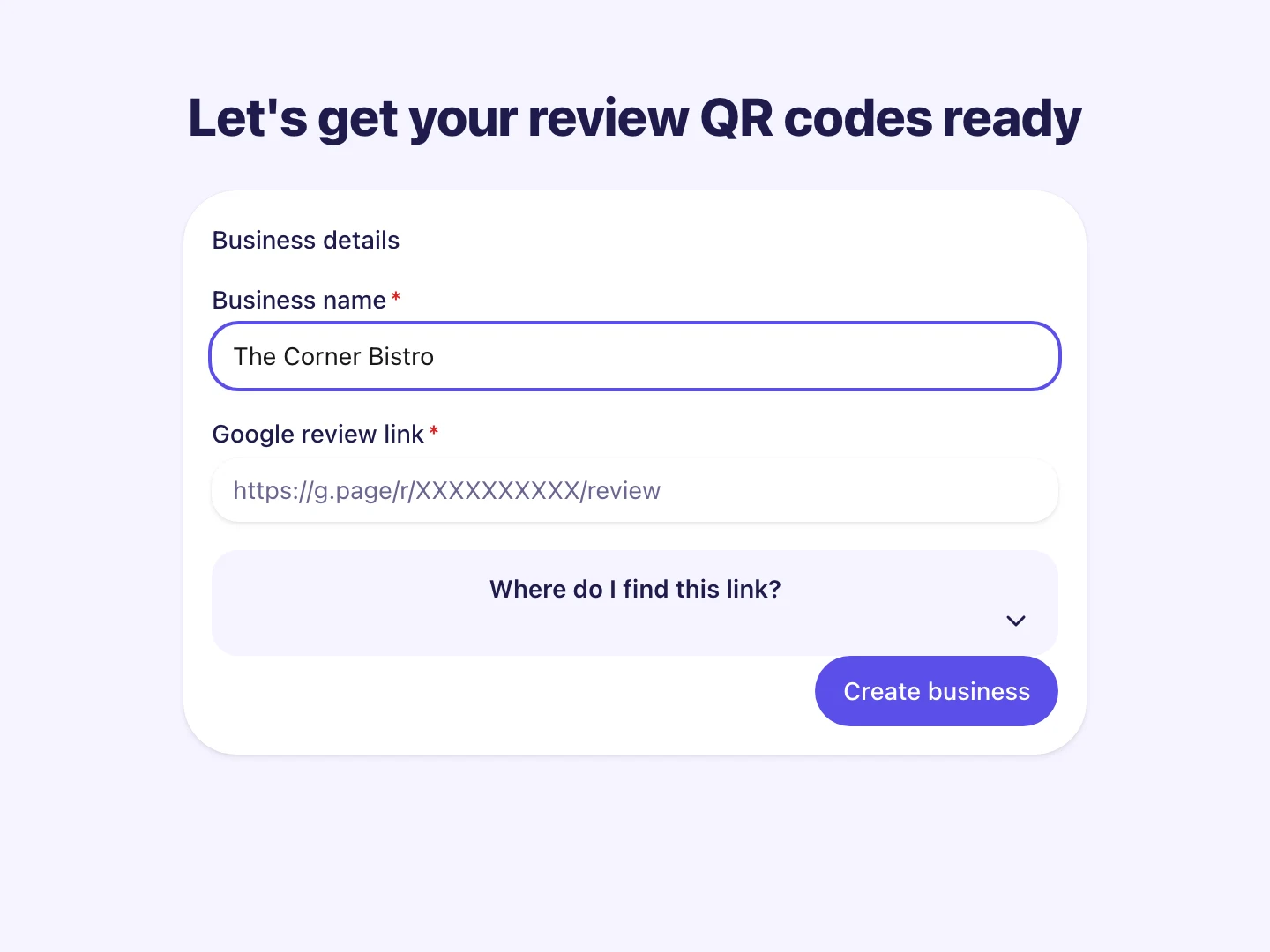
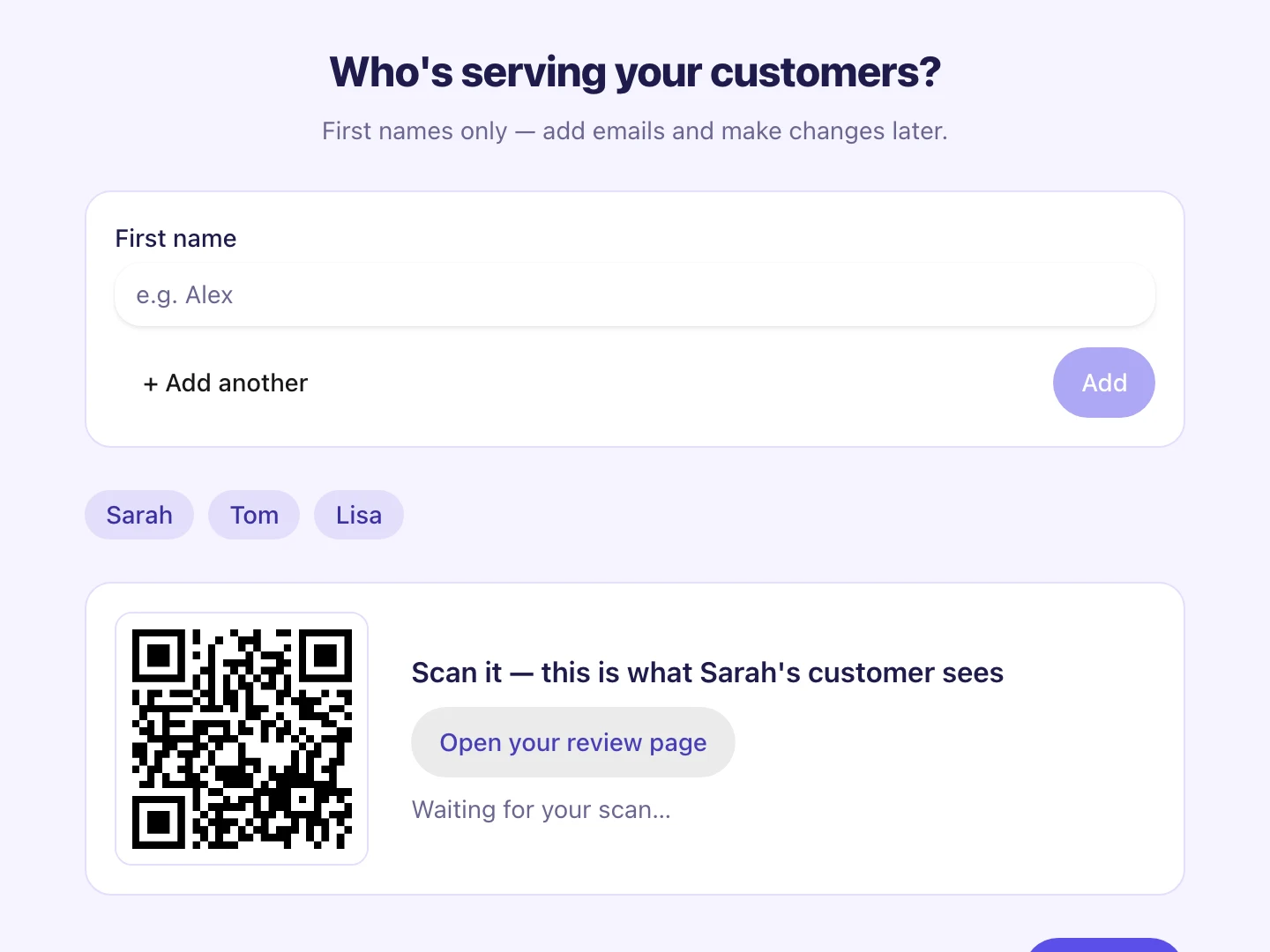
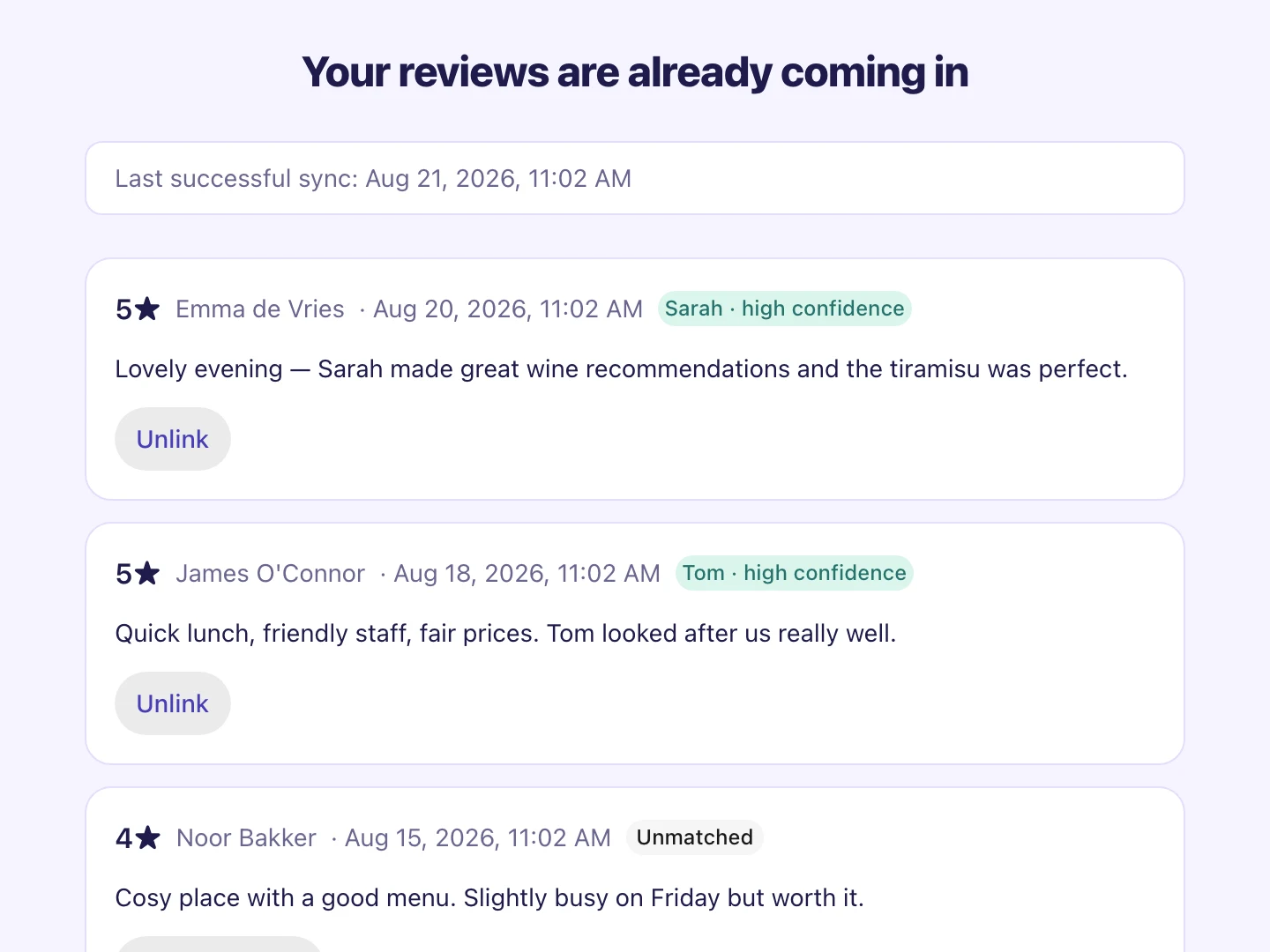
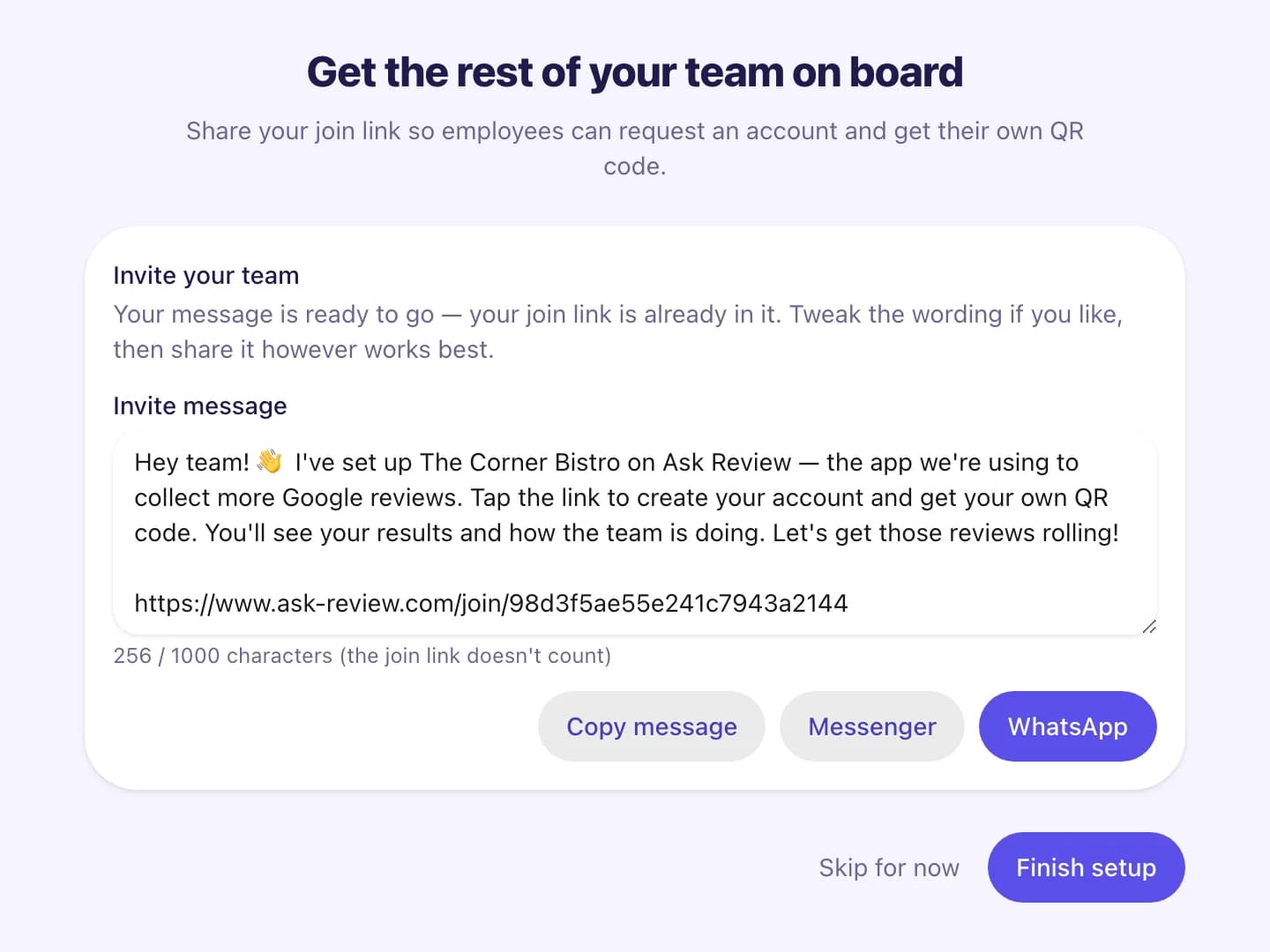
Add your business
Enter your business name and your existing Google review link.
Create your account with Google or your email. Your first month is free, up to your first 20 reviews.
Set up my teamFAQ
Questions, answered.
Not signing up yet?
Coming soonSee how your street compares
Pick your business and get your review count and rating next to the places closest to you: the same comparison your customers make on the map without thinking about it. Free, and you keep the report whether you sign up or not.
Almost ready. In the meantime, your first month is free anyway.
What you get back
- Best in your area2104.6★
- Two doors down884.4★
- Your business344.2★
Example report. Real numbers come from your own Google listing and the listings around it.
More reviews. A higher rating. More revenue.
The customers who'd gladly leave you a review are already walking through your door, and the ones who came in today are gone tomorrow. Set up your team in minutes and start collecting tonight. No app, no passwords.
Your first month is free, up to your first 20 reviews. Cancel before then and you pay nothing.